
The tools package offers several tools providing the user with the necessary assistance to conduct a detailed analysis. Tools can be either added from the menu buttons located above the chart or from the toolbar on the right hand side of the chart.
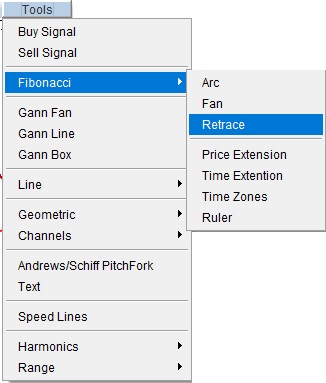
Tool selection through tools menu
User can also select various tools from toolbars provided on the right hand side of the chart window.
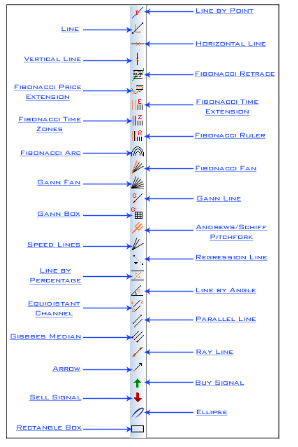
Tool selection through toolbar
User can draw any of Tools ( Trendlines, Fibonacci etc...) from above given list for further analysis.
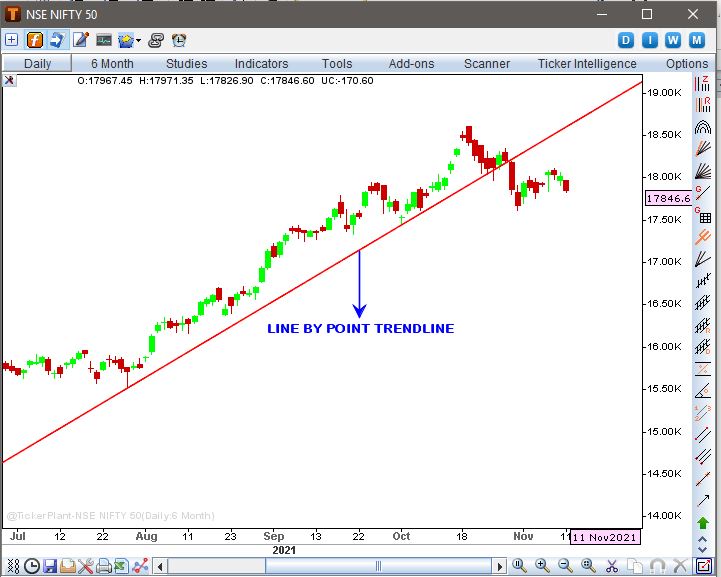
Fibonacci retrace drawn
Add On Feature of Tools
Tools have the following add on features:
-
Easily configurable with right click on the tool (as shown in the image below)
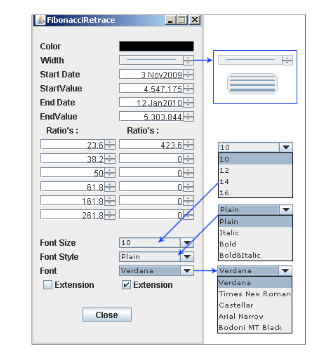
Configure setting window of fibonacci retrace
-
The tools can be easily migrated across various data periods i.e. from intraday to daily, weekly etc and vice versa.
Up Trend line drawn from two bottom points
-
The magnet feature enables the user to automatically select the nearest value on the particular location on the chart.
Ex: Say, if the user has to draw a trend line from the lowest value of one day to another than by activating the magnet button, the tool is ready to automatically select the lowest value of that particular day as displayed in the image below Magnet Inactive
  Magnet Active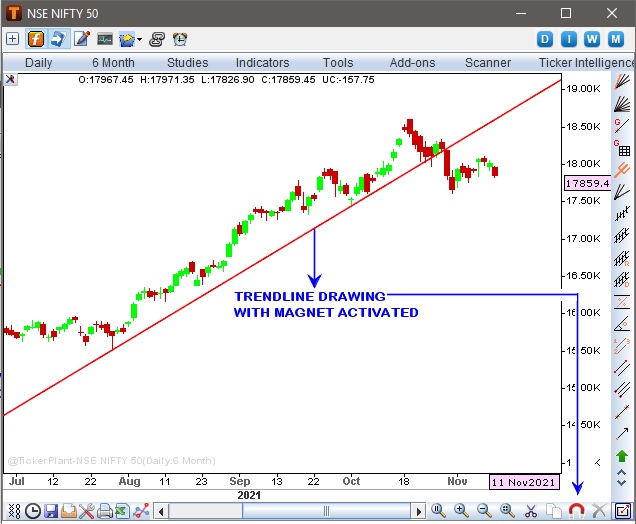
Trend line drawn with magnet activated
-
Tool Tracker feature helps user to track a particular tool. It automatically highlights the tool on which the user has placed the mouse cursor thereby allowing user to be informed as to the tool which will be configured if right clicked and deleted if left clicked.
 Tool Tracker Inactive
  Tool Tracker Active
The Below image shows its location and how it works.
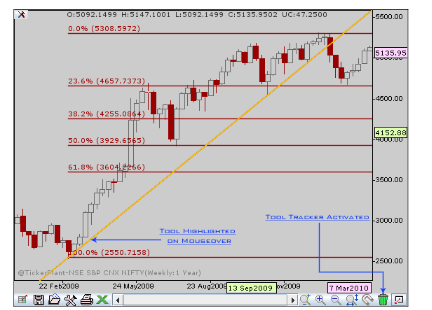
Trend line Highlighted for deletion with tracker activated
Comments
0 comments
Please sign in to leave a comment.