
Calculate forward rates of a specific forward date with reference to another forward date.
To View Forward – Forwards rates of specific dates
-
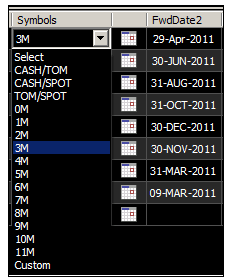
Select required symbols from the list. It will calculate corresponding reference forward date “FwdDate1” and “FwdDate2”.
-
User can calculate Forward-Forwards for a specific dates using “Custom” symbol
-
Select “Custom” symbol from the list
-
Click on “Calendar Control” and select required forward date.
-
-
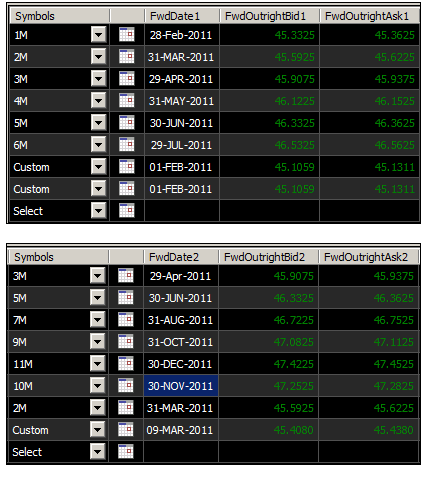
This will calculate Forward Date 1 and Forward outright bid and ask for the date 1.
-
Same way select second forward date “FwdDate2”
-
This will calculate Forward Date 2 and Forward outright bid and ask for the date 2.
-
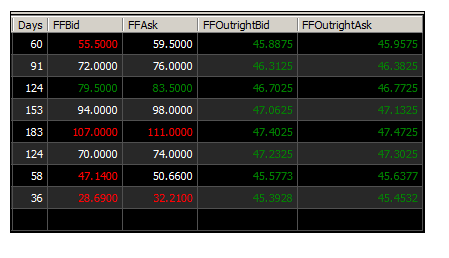
It will also provide “Forward - Forwards rates” like days, FFBid, FFAsk, FFOutrightBid, FFOutrightAsk of date 2 with reference to forward date 1.
Comments
0 comments
Please sign in to leave a comment.