
To modify an existing record
-
Select bond from the list
-
This will reload input parameter in the header input boxes.
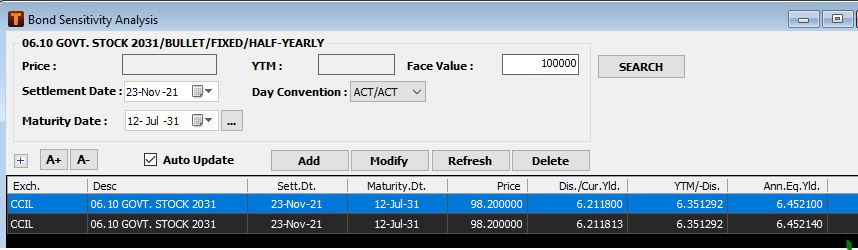
-
Change input values as per requirement.
-
Use one of the following buttons for the required action
Add -> Add button will add new record of selected scrip with different set of input parameter
Modify -> Modify button will modify selected record from the list with different set of input parameter.
Refresh -> Refresh selected record from the list with default specification and revaluate bond.
Delete -> Delete selected record from the lists
Evaluating bond for different time period (before maturity)
To analyze bond before maturity date,
-
Click on maturity date drop arrow; specify required maturity date from the calendar control.
-
Or click scheduler button (…) next to maturity date & select date from Bond Scheduler Date Info List”.
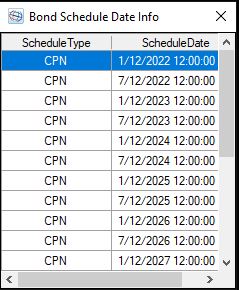
Following table describes Bond Schedule Type information.
|
Options |
Description |
|
CPN |
Coupon dates |
|
MAT |
Maturity date of the bond. |
|
CALL |
Call option dates |
|
PUT |
Put option dates |
|
SNK |
Sinking dates |
After changing maturity date click on “Add” button to add as new record, or click on “Modify” button to change existing input parameter in the same record.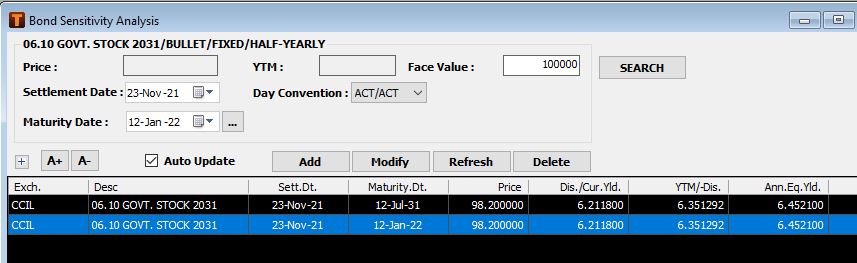
Evaluate cash flow using required “Re-Investment Rate”.
By default reinvestment cash flow is evaluated using YTM value.
To specify reinvestment rate
-
Uncheck Auto update
-
Enter required Price/YTM/Facevalue in the box.
-
Click on Add/Modify button
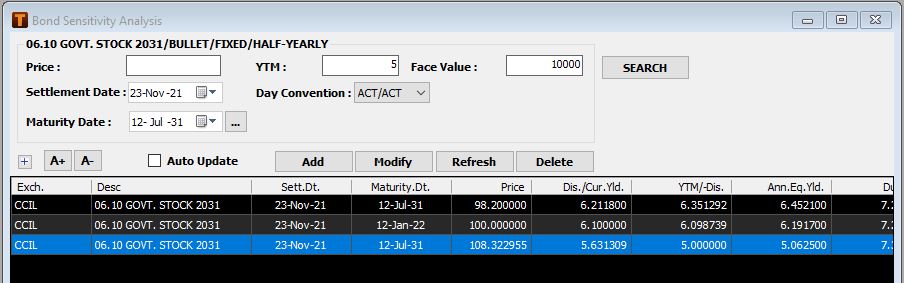
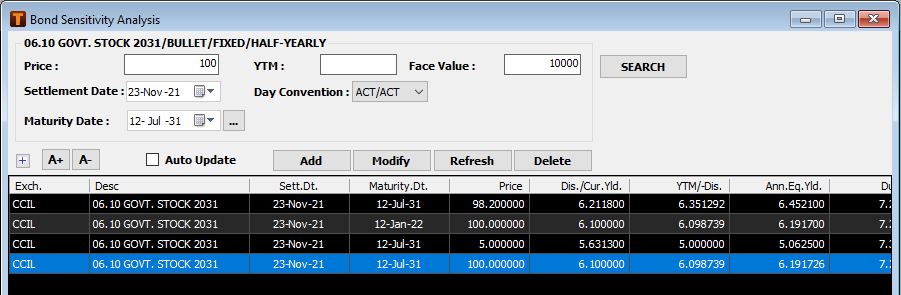
Use “Save Worksheet” or “Save Workspace” file menu option to save scrip’s loaded into the Bond Sensitivity Analysis Window. The saved bond details can be viewed on reloading the workspace.
Comments
0 comments
Please sign in to leave a comment.