
Adjustable Axis
Tickerplant Chart provides a feature that allows the user to adjust the X-Axis, Y-Axis and the chart plotting area by dragging the mouse over it in the required direction. User can also get back to initial state by clicking on Reset Button (For more detail please refer to Reset Button)
User can manage scales in terms of price and time for further detailed indication and movement.
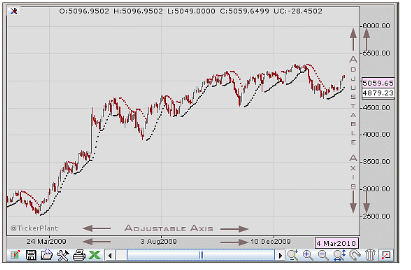
Adjustable axis
 Zoom
Zoom
Tickerplant Chart provides an option to have a closer look at a particular portion of chart by indicating specific start date and end dates using the selective zoom property. User can enable this property by clicking on zoom button.
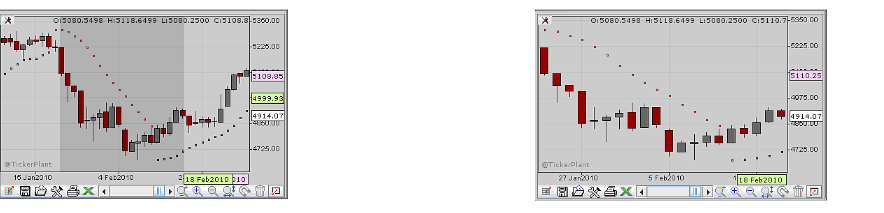
Eg. Below selected is Daily 1 year chart displaying data from 1 JAN 2009 to 28 FEB 2010. Say the user wants to have a closer look on data from 11 JAN 2010 to 18 FEB 2010. In this case the user needs to click on the zoom button followed with a click on start date and move pointer towards the end date and click on the end date effectively selecting the portion of chart that needs to be zoomed.
|
|
|
|
On selective zoom |
After selective zoom |
 Z+ AND Z-
  : [ ALT + ‘+’] [ ALT + ‘-’]
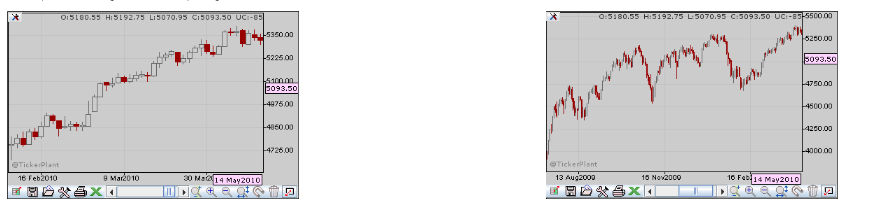
Apart from selective zoom, an option of uniform interval zoom in both directions either from L-R or from R-L is provided to the user. User can also use ’+’ or ‘-‘ keys with ALT key for the same as per their convenience.
User can perform zooming on chart area by rolling the mouse wheel.
|
|
|
|
After zoom plus |
After zoom minus |
 Reset: [ ALT + R]
In case the user has applied the zoom feature for analytical purpose, the same can be brought to its initial state (without zoom) by clicking the reset button.
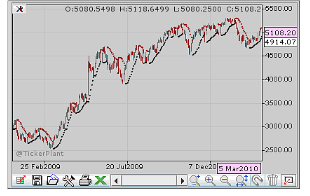
After zoom reset
 Magnet: [ ALT + M]
Please refer to the Tools Section.
 Tracker: [ ALT + T]
Please refer to the Tools Section.
 Switch View
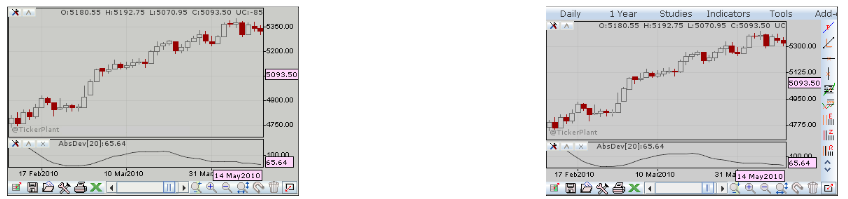
The charting zone can be conveniently maximized to full screen by hiding the menu bar and tool bar. To hide these, user needs to click on the full screen button on the extreme right hand side of the chart control panel as shown below. Vice versa is applicable for displaying it back in normal mode.
|
|
|
|
Full screen mode |
Normal mode |
Comments
0 comments
Please sign in to leave a comment.