
To apply a strategy
-
Click Tools > Strategy
The tools menu is displayed.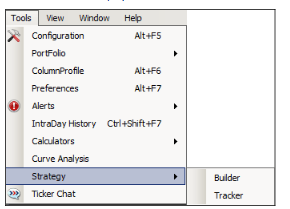
-
Select the option "Tracker"
-
The Strategy Tracker window is displayed
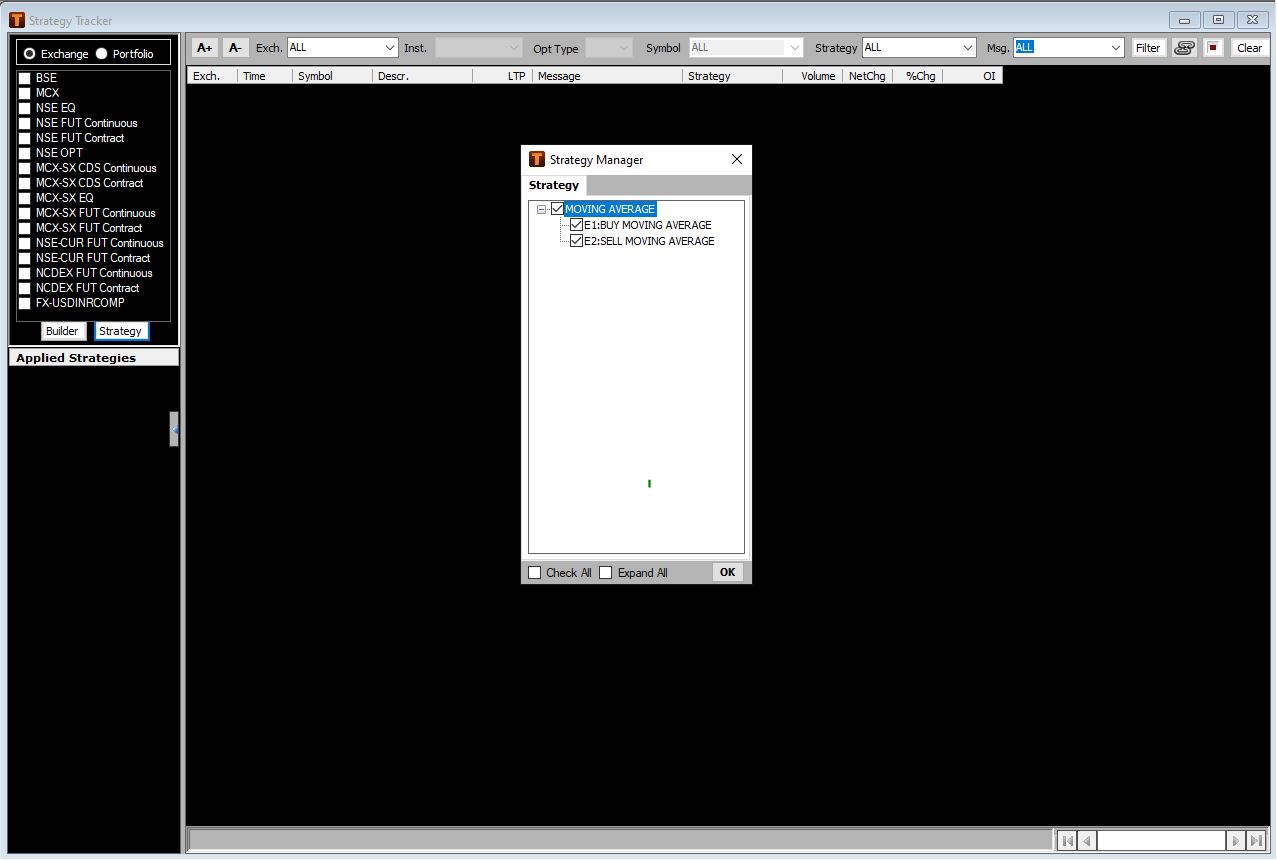
The strategy can be applied either on all the stocks / contracts listed on a particular exchange or on a user created portfolio of stocks or a pre-defined portfolio
The option can be selected from the available selections for Exchange or Portfolio
On selecting the ‘Portfolio’ option, a particular portfolio can be selected and applied from the list of user created portfolios. The user also has an option to apply the strategy on a pre-defined portfolio, for say, the stocks comprised in the S&P CNX NIFTY
The output will be generated when the condition(s) in the applied strategies corresponding to the symbols comprised in the applied portfolio are met
Alternately, the option for Exchange enables the user to apply the selected strategy on all the stocks or contracts listed on the selected exchange(s)
In the above example, user selects the MCX exchanges on which both the conditions in the ‘MOVING AVERAGE’ are applied
Once the option for the strategy to be applicable on ‘Exchange’ or ‘Portfolio’ is specified click on the tab ‘Strategy’ that displays the Strategy Manager
The strategy manager displays the list of user created strategies and enables the user to select the respective strategies or individual conditions of a strategy based on which the output needs to be generated
Above, the ‘MOVING AVERAGE’ is selected followed with a click on ‘OK’ tab in the Strategy Manager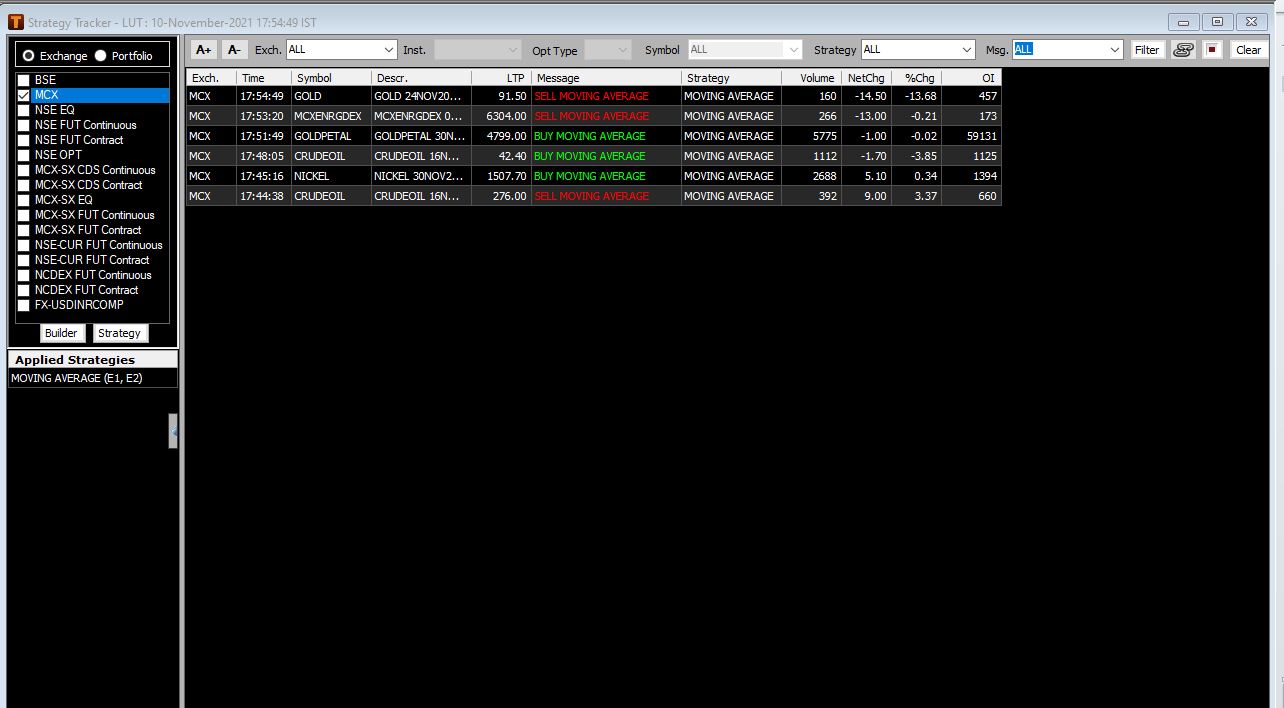
The ‘MOVING AVERAGE’ consisting of the bullish ‘BUY’ and the bearish ‘SELL’ condition (E1, E2) is now applied on the stocks comprised on the BSE and NSE (equity) exchanges
The applied strategies are displayed on the left in the section displaying the list of ‘Applied Strategies’
The output will now be generated for those stocks on the respective exchanges as the applied conditions are metNote: Click on the tab ‘Builder’ will display the condition builder in a separate window
Above, the ‘BUY MOVING AVERAGE’ and ‘SELL MOVING AVERAGE’ messages are generated for individual stocks when conditions comprised in the applied ‘MOVING AVERAGE’ for these stocks listed on BSE and NSE (equity) exchanges ( as per selection) are met
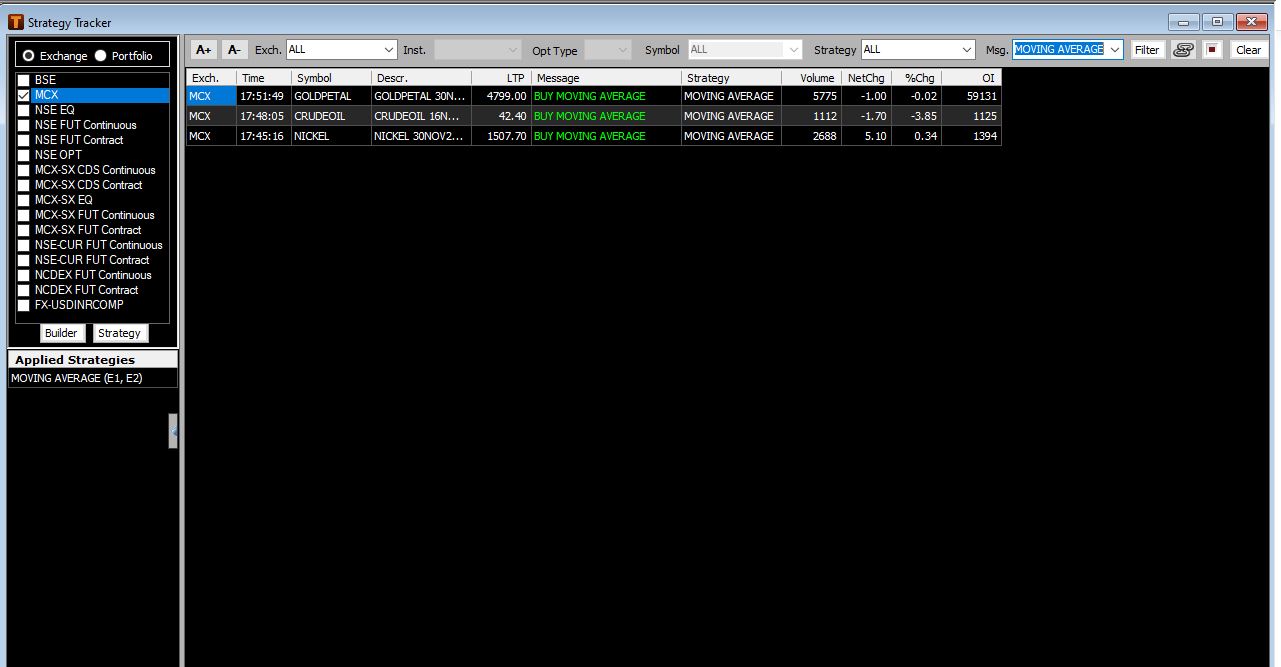
The output can further be filtered based on Exchange, Strategy or Message or a combination of the same. Above the output is displayed when filtered for ‘BUY’ message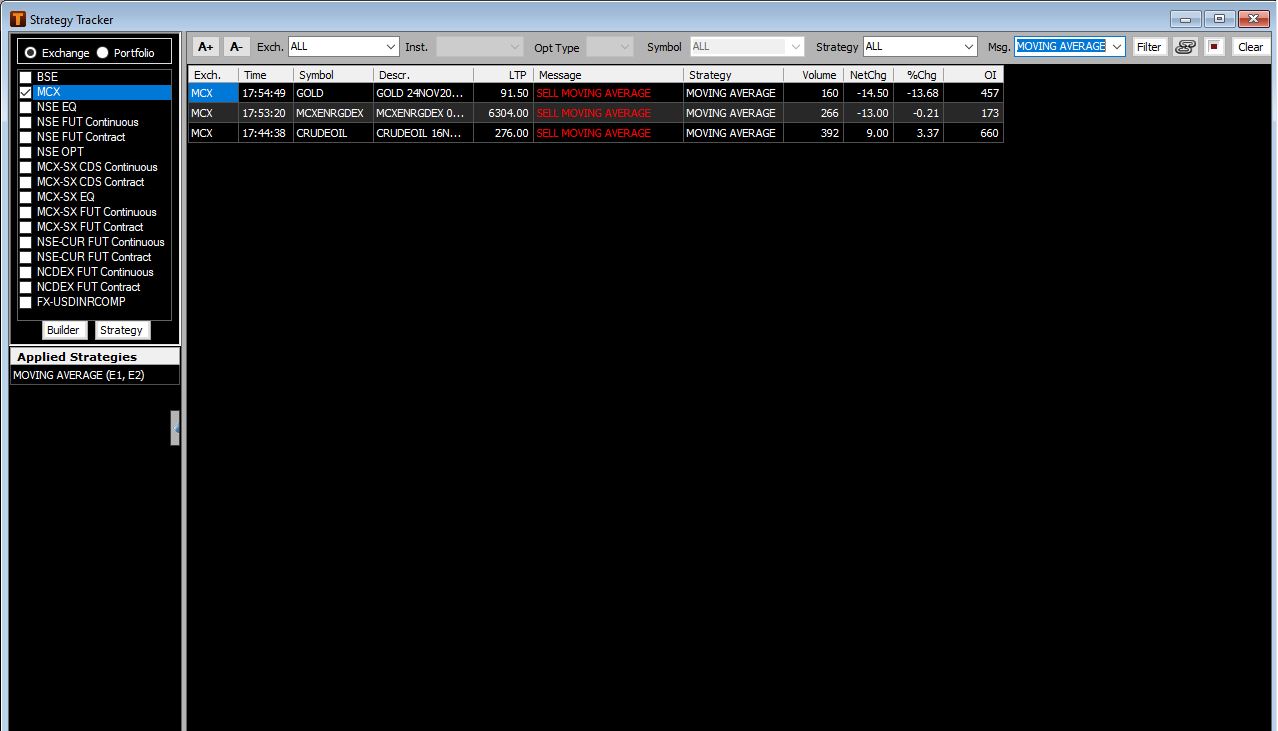
Above the output is filtered based on the exchange ‘BSE’ and message ‘SELL’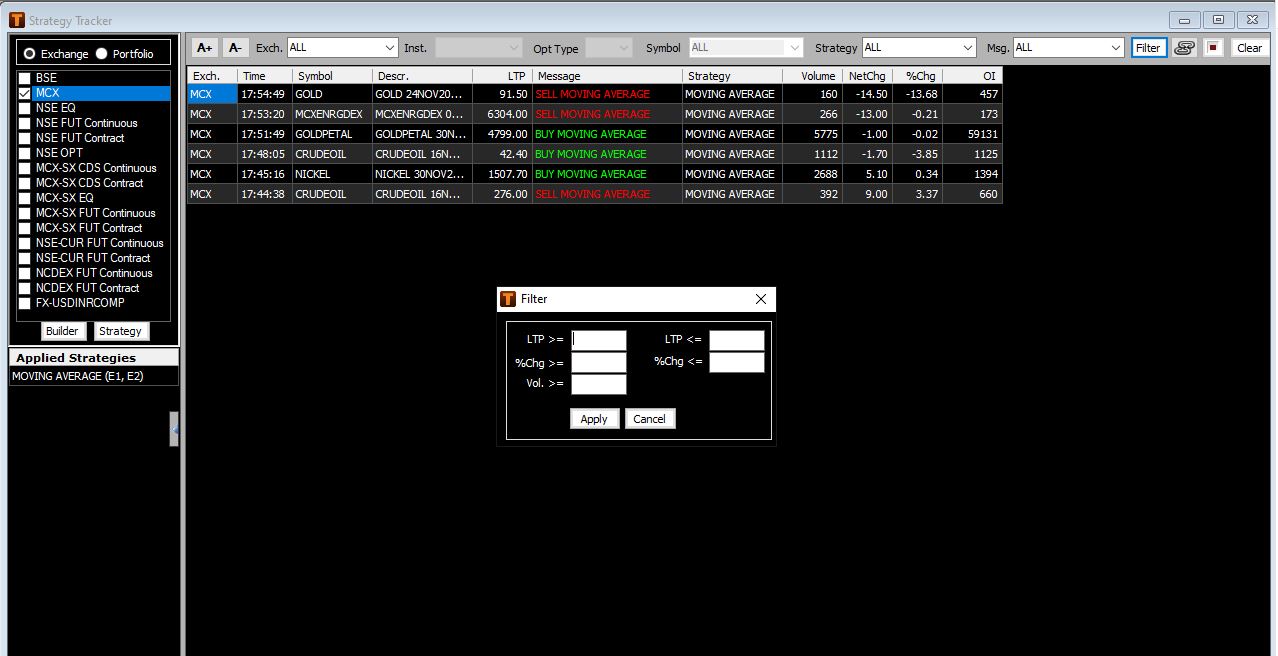
On click of the tab ‘Filter’ user can set the parameter for a price range and volume, confirming to which the output need to be displayed
The user is able to stop or re-start the generation of output by clicking the button
Comments
0 comments
Please sign in to leave a comment.