
To apply multiple conditions and strategies
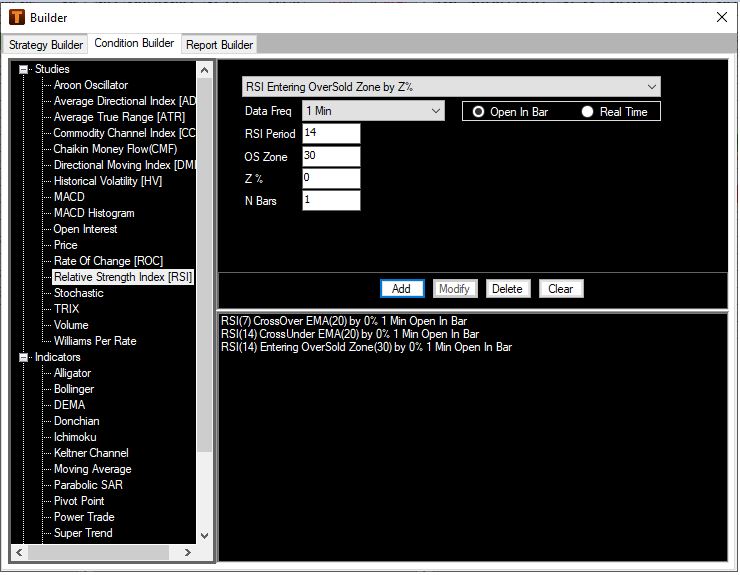
A strategy can be built based on a combination of conditions relevant to more than one study. For instance, the user needs a confirmation of a bearish trend based on two conditions being met simultaneously before making a decision to sell viz. short term moving average crossing under long term moving average AND at the same time short term RSI crossing under long term exponential moving average.
This can be achieved by creating the multiple conditions based on relevant studies. In the above example, bearish as well as bullish conditions based on the RSI are created. Also refer creating a strategy
The conditions created in the condition builder can now be built into the required strategy in the strategy builder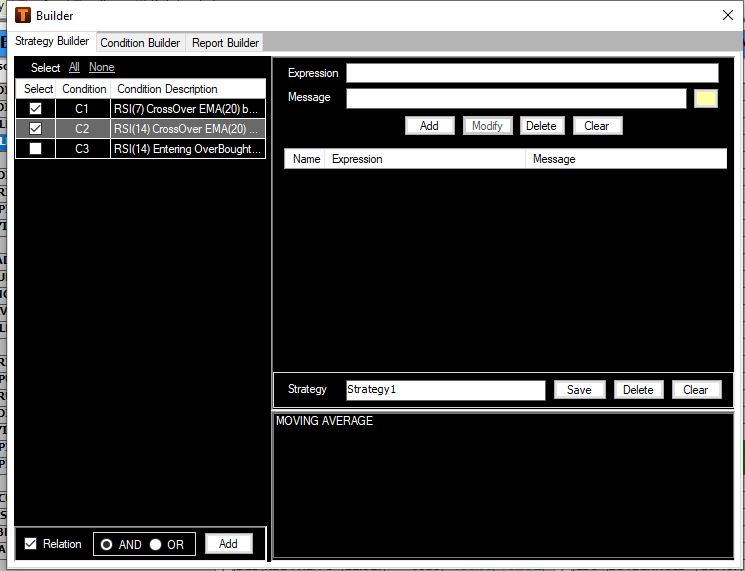
User requires conditions C1 and C2 to be met simultaneously. To achieve this, the user selects the two conditions intended to be met simultaneously in the condition builder and links them using the ‘Relation’ option ‘AND’
Note: Selecting relation ‘OR’ will result in the message being displayed when either of conditions selected may be met
Click ‘ADD’ to add the conditions into the strategy.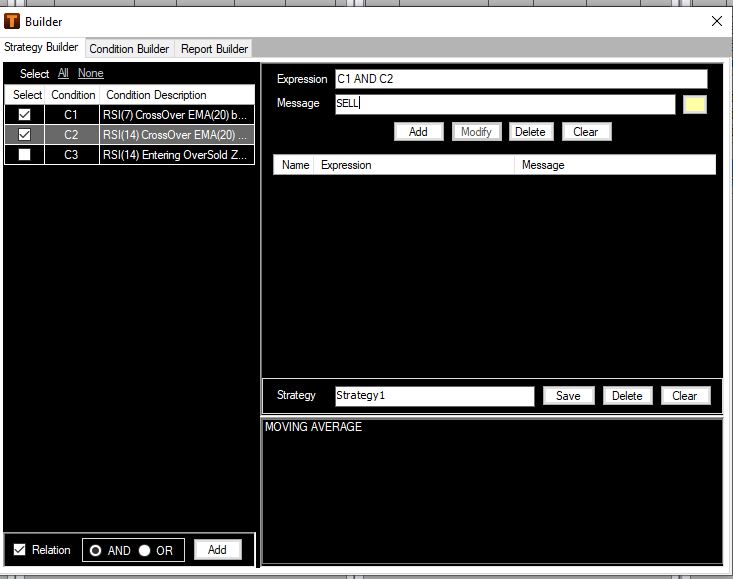
The expression box displays’ C1 AND C2’ indicating both conditions need to be met (for a particular stock or contract) in order to display the customized message ‘SELL’ as input by the user into the message text box.
User selects the red color in which the customized message ‘SELL’ need to be displayed and clicks the ‘Modify’ tab to save the linked conditions in the strategy.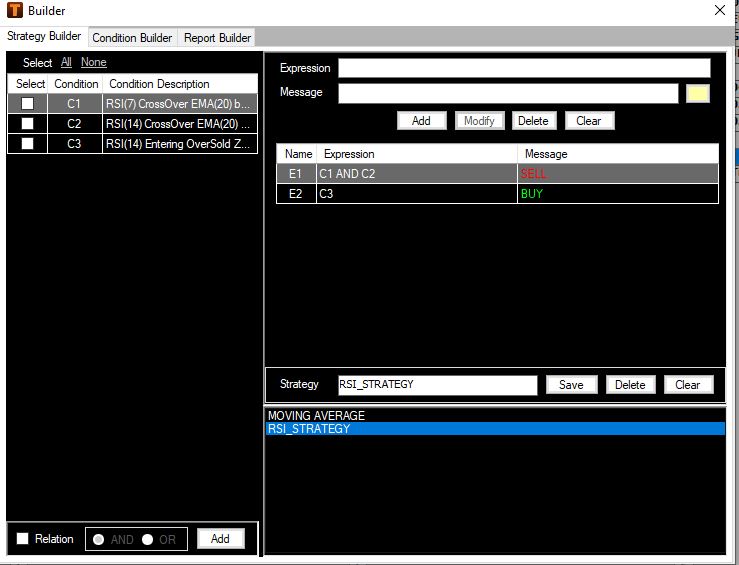
Similarly, user selects the condition C3 and clicks ‘ADD’ to add the condition into the strategy
Customized message ‘BUY’ is input in the message text box and green color is selected by the user to indicate the bullish condition
Click ‘Modify’ to add the condition C3 to the strategy
Save the strategy with an appropriate name.
The strategy with two expressions as seen above are saved as ‘RSI_Strategy’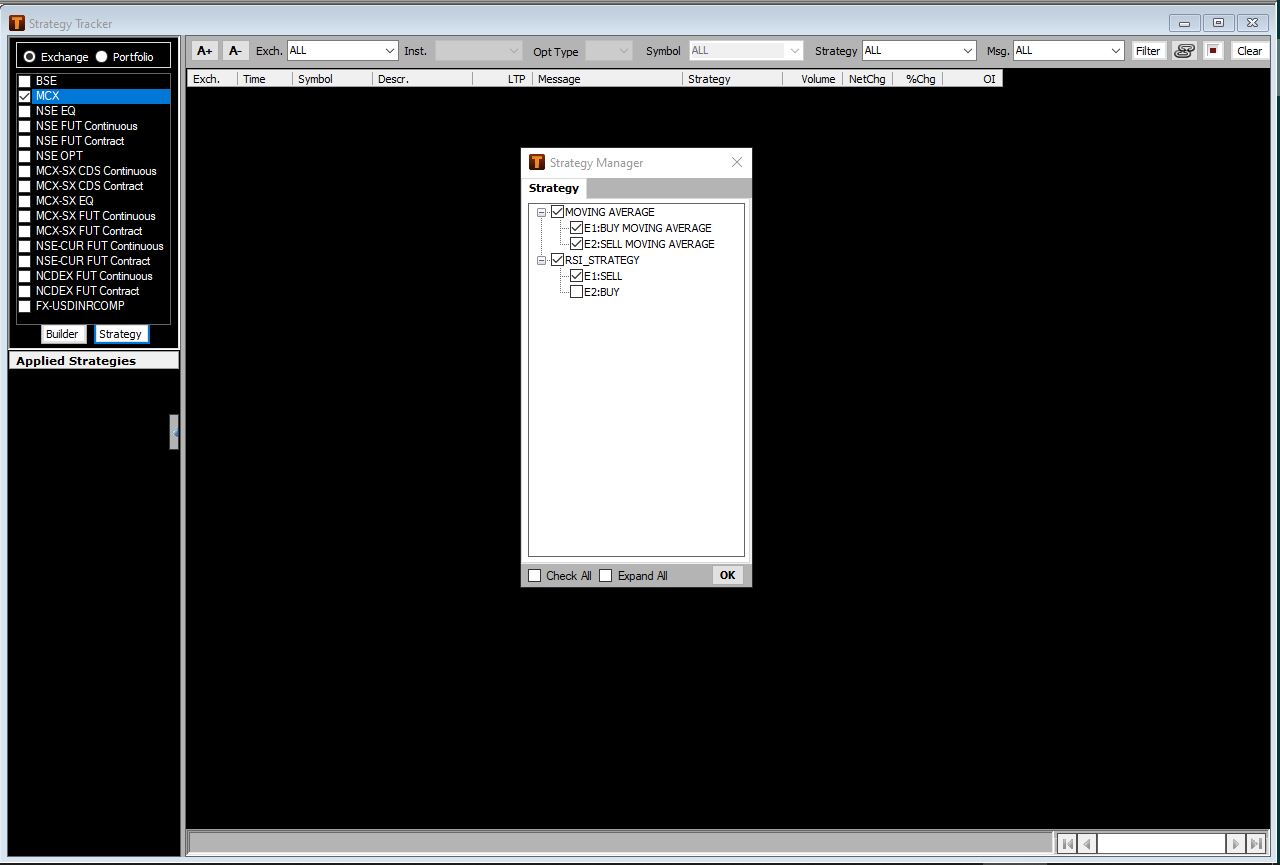
As discussed earlier, to apply the strategy or strategies
Click Tools menu -> Strategy
Selecting the option ‘Tracker’ displays the ‘Strategy Tracker’ window
Select the exchanges or portfolio on which the strategy is to be applied
Click on ‘Strategy’ tab displays the ‘Strategy Manager’
The Strategy Manager displays the list of user created strategies
Select the strategies which need to be applied
The user selects multiple strategies including ‘MA_Strategy’ and the expression ‘E1’ from the ‘RSI_Strategy’
Note that individual expressions of a particular strategy can be made applicable as well
Click OK.
The applied strategies are displayed in the ‘Applied Strategies’ section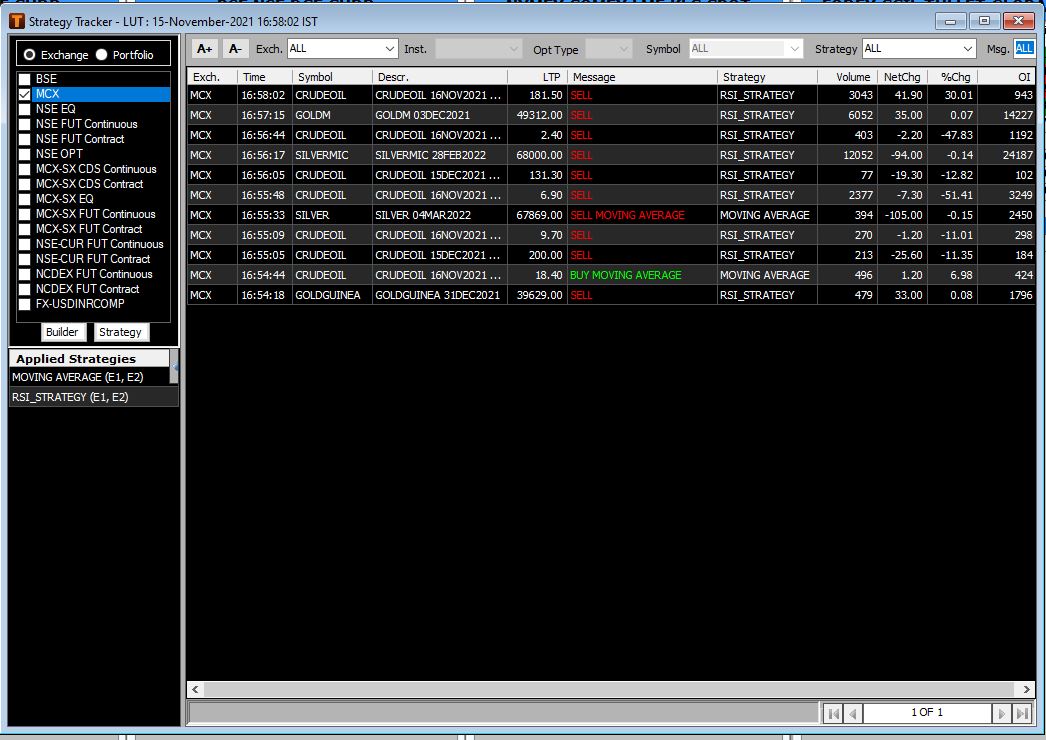
The output based on the applied strategies and relevant exchanges is displayed in the Strategy Tracker
Note that conditions meeting the applied strategies are being generated
The user has applied expression (E1) and not (E2) under ‘RSI_Strategy’ and the output relevant to that particular expression is being generated with the corresponding ‘SELL’ message
The output can be filtered based on Exchange, Strategy , Message, parameters for price and volume set through the ‘Filter’ tab and a combination of the same as discussed earlier.
As discussed and demonstrated through examples, user is able to create strategies based on combinations of various studies as per requirement and apply the same on required segment(s) or a portfolio
Comments
0 comments
Please sign in to leave a comment.