
The Forex menu lets you view:
-
Forex Report
-
World Currency Forwards
-
World Currencies in INR
-
Market Report
-
FWD-Rate calc
-
FX Matrix
-
FEDAI Report
-
Research Report
-
Market Statistics
To view Forex Data
-
Click FX.
The Forex menu is displayed.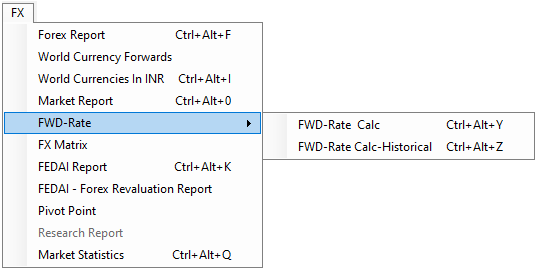
-
Select the desired report.
The report is displayed in your workspace.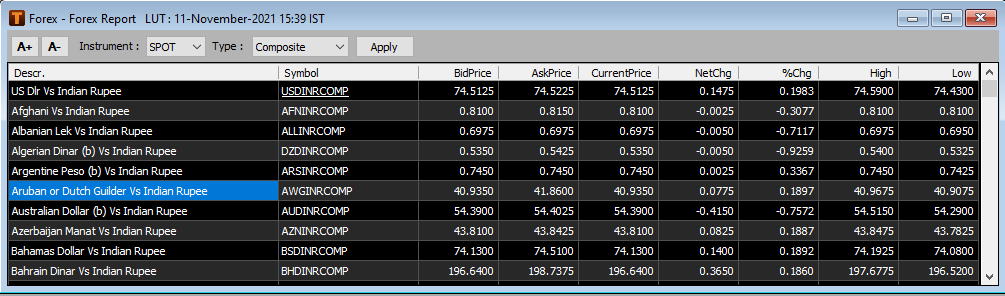
Available Forex reports
|
Type of report |
Description |
|
Forex Report |
Displays:
It also displays the contributors for USDINR spot and forward quotes |
|
World Currency Forwards |
Displays the currency forwards for different currencies against the USD in swap points |
|
World Currencies in INR |
Displays cross rates for different currencies against INR |
|
Market Report |
Displays information regarding currency futures and spread contracts traded on domestic currency exchanges including:
|
|
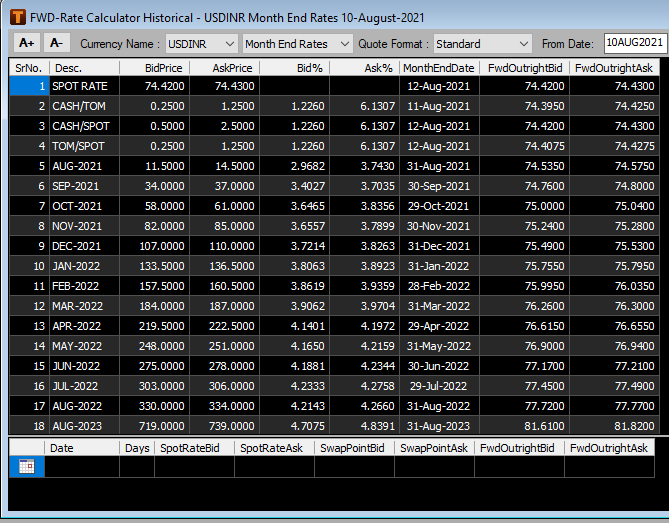
FWD-Rate Calc |
Provides forwards rates for specific durations and calculated for broken dates for major world currencies |
|
FX Matrix |
Displays spot rates for major currencies in a matrix format |
|
FEDAI Report |
Displays the report from the Foreign Exchange Dealers’ Association of India including:
|
|
Research Report |
Research reports related to forex market filed by reputed brokerage houses are available |
|
Market Statistics |
Daily market statistics published that displays the following:
|
Forex Quote
In addition to features such as Market Watch and Get Quote that enable the user to view real time price and quote information, Forex Quote is a user friendly feature that readily displays the corresponding forward rates in a sequential order on the user adding a Forex spot symbol to it
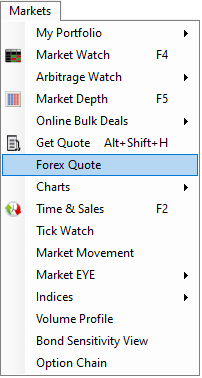
Forex Quote window can be accessed as follows:
-
Click on Markets menu
-
Select Forex Quote
-
Add a Forex spot symbol to it through Quick Watch or Drag & Drop. For e.g. USDINRCOMP
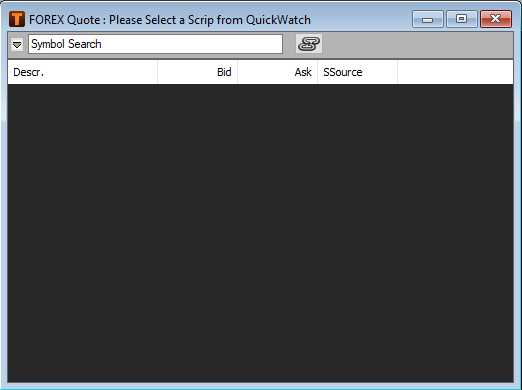
-
The corresponding forward rates are displayed
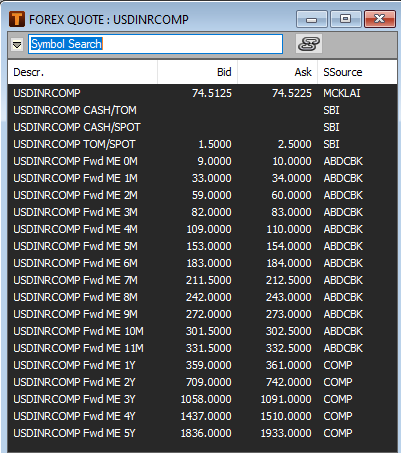
Note: In case of USDINR / USDINRCOMP, the month end forward rates are displayed by default. On right click the user has an option to display the month wise forward rates
Pivot Point for Forex:
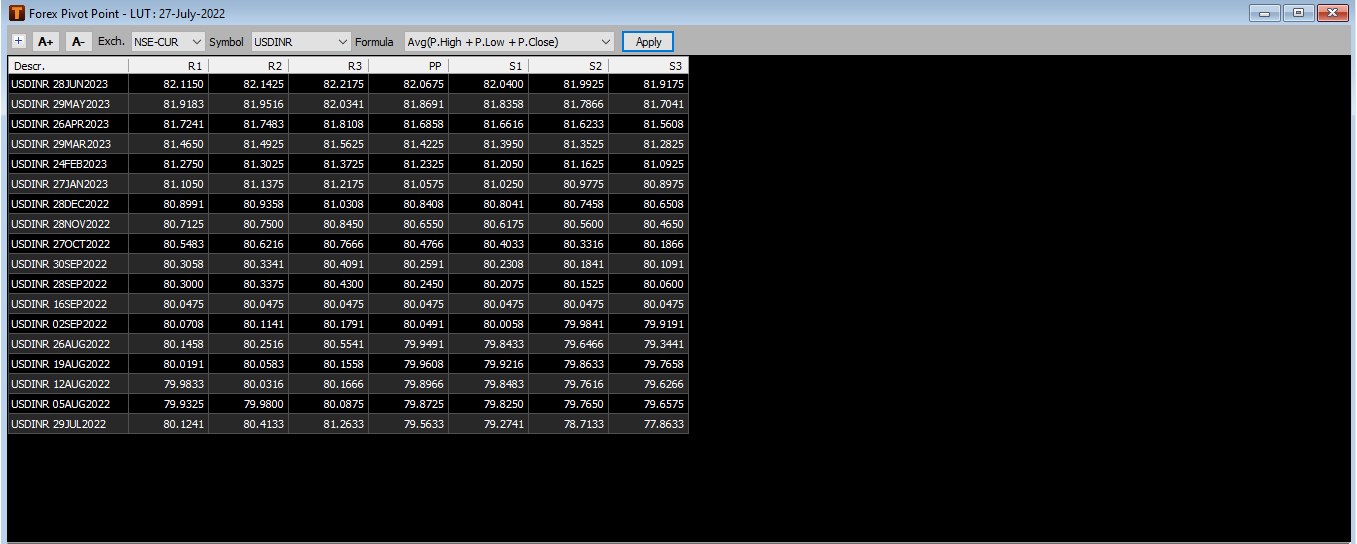
Users can use Pivot points to make decision whether to entry or exit the market using support & resistance level.
1.Select FX.

2.Select Pivot Points.

3.Select Exchange, Period & Formula as required then Apply.
FEDAI- Forex Revaluation Report:
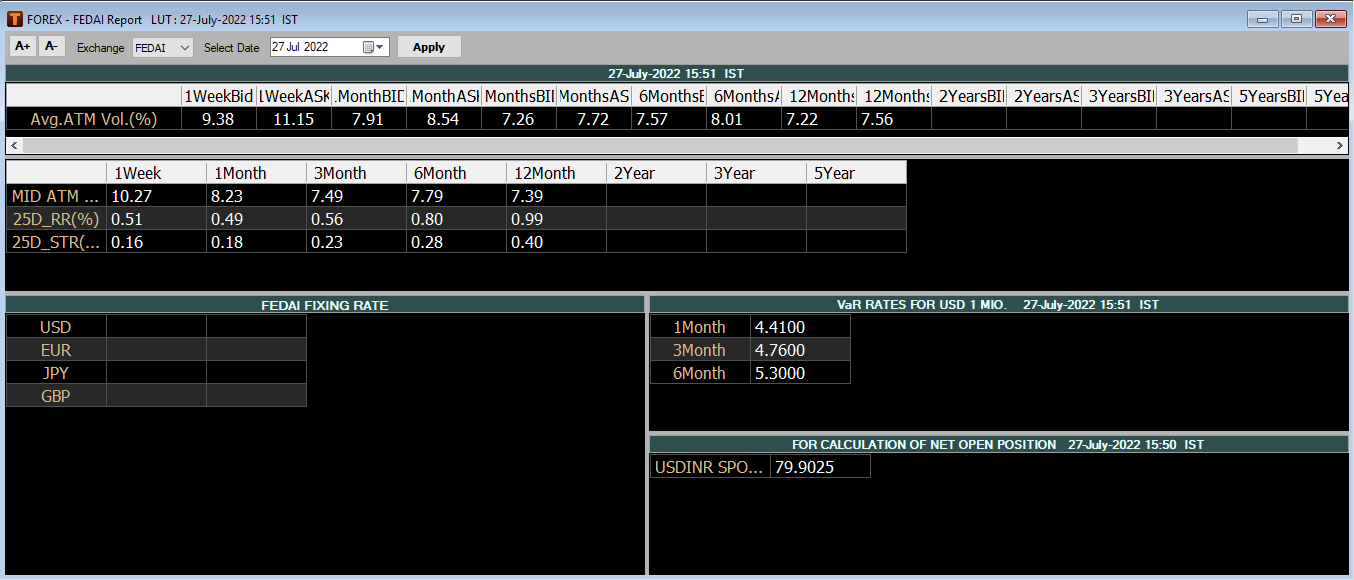
Foreign Exchange Dealers Association of India (FEDAI) is a self-regulating organization that formulates rules around Indian interbank forex dealings. Revaluation Report provides closing rate for the previous trading session.
1.Select FX.

2.Select FEDAI – Forex Revaluation Report.
Comments
0 comments
Please sign in to leave a comment.