
MarketView® allows you to calculate the option premium and sensitivities (Greeks) for stock and index options.
To use an Option Calculator
-
Click Tools > Calculators > Option.
The Option Calculator window is displayed.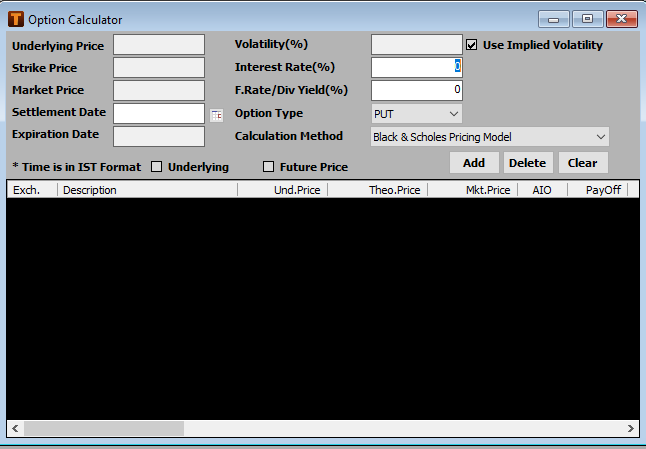
-
Choose a stock option or an index option from Quick Watch.

-
Press Enter.
The option details are displayed in the Option Calculator window.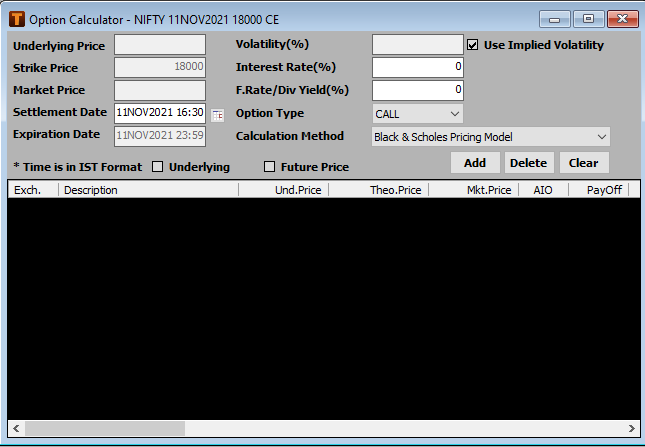
-
The list below displays all the fields from the Option Calculator. Specify the fields that are editable, as required:
|
Field |
Description |
|
Underlying Price |
Price of the underlying stock or option. |
|
Strike Price |
Price at which the option is exercised. |
|
Trade Date |
Date on which the trading takes place. You can modify the trading date. |
|
Expiration Date |
Date on which the option expires |
|
Days Until Expiration |
Number of days remaining till the expiration date. |
|
Calculation Method |
The calculation method used for calculating the option value.
|
|
Volatility (%) |
Rate of fluctuation in the price of the underlying. By default, the Calculator uses implied volatility to calculate the option value. Uncheck Use Implied Volatility to enter a custom volatility value |
|
Interest Rate (%) |
Risk-free rate used in calculating option values. You can enter a custom value |
|
Dividend Yield (%) |
Dividend yield of the instrument You can enter a custom value |
|
Market Price |
Market price of the instrument |
|
Option Type |
Call or put option |
-
Click Add.
The option calculator displays the calculated option values and the Greeks (delta, gamma, theta, vega, and rho) in the table.
Select an entry from the results table and click Delete to delete the corresponding entry.
Click Clear to remove all selected instruments from the Option Calculator window.
Comments
0 comments
Please sign in to leave a comment.