
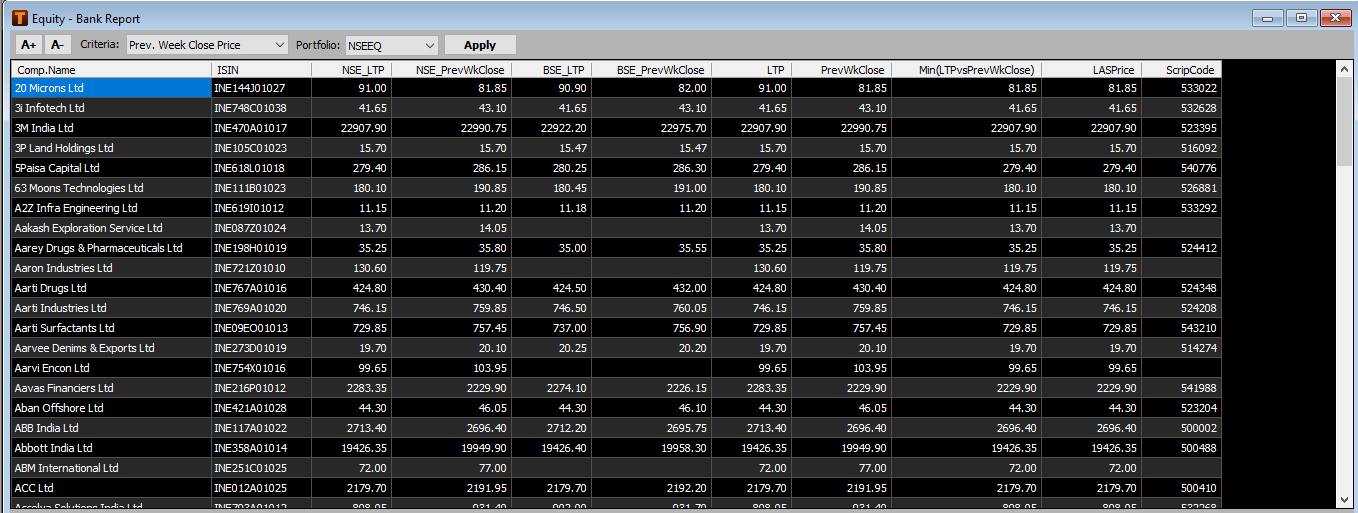
Bank Reports:
To Check bank report for Equity select EQ.
1. Select Bank reports.

2. Select criteria and portfolio as required and details will be displayed.
Quantitative Analysis:
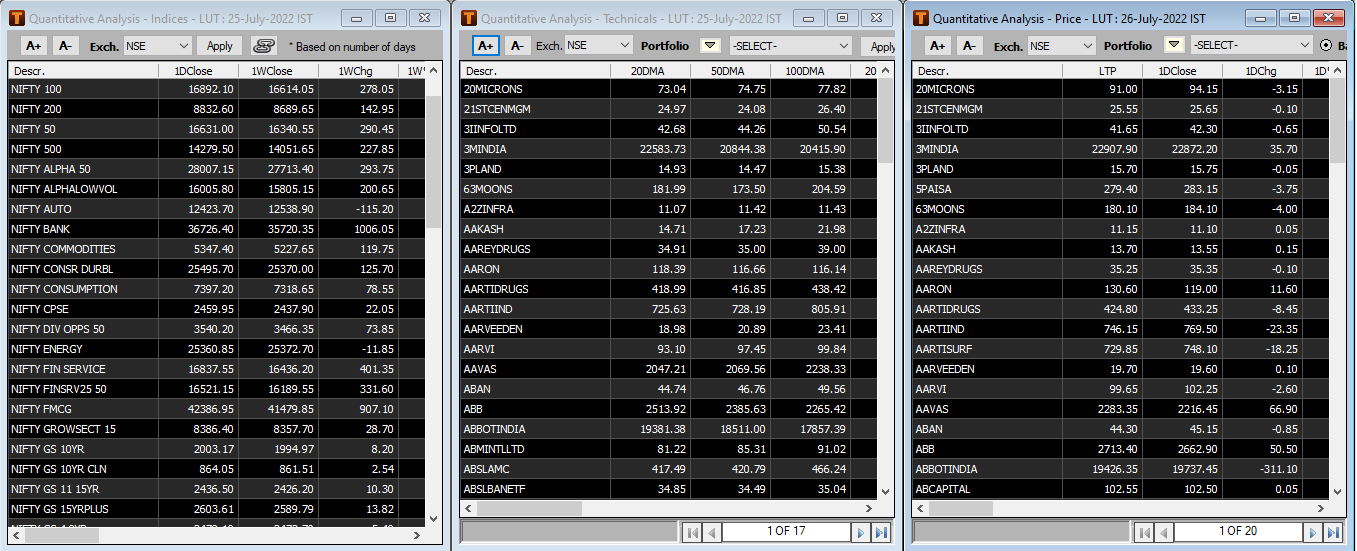
Quantitative Analysis will allow user to analyze markets as per their choice for Price, Technical & Index as follows:
1.Select EQ.

2.Select Quantitative Analysis.

3.Select Price, Technical or Index Options and Select the Exchange as desired and then Apply.
 Data will reflect in each window.

4.In Price Analysis, user can choose between Exact Dates or Calendar Dates as per
  their requirement.
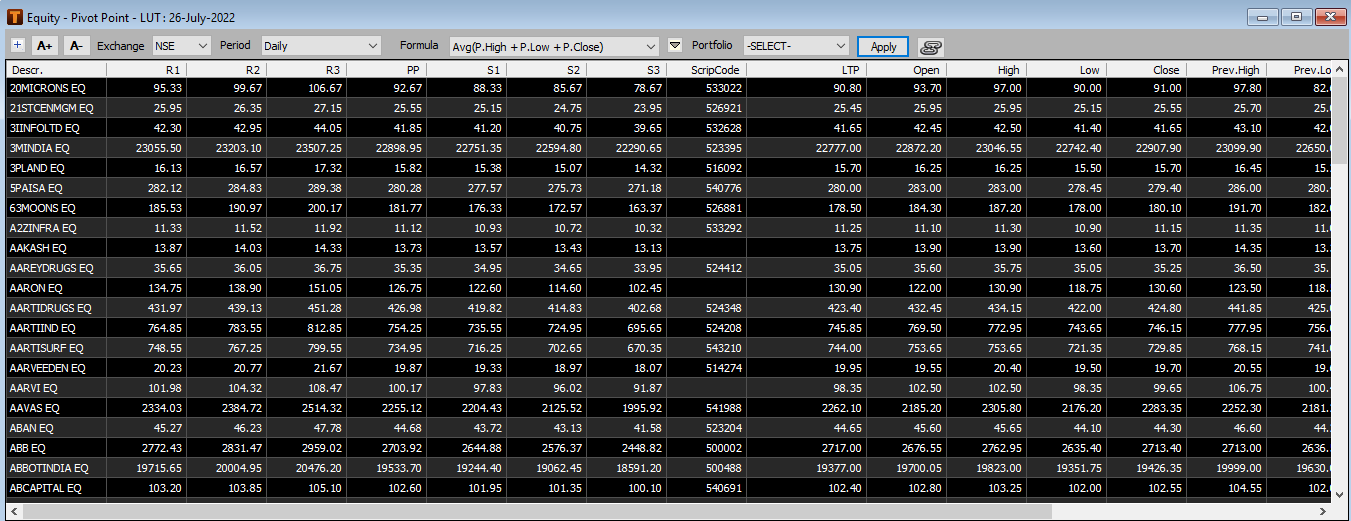
PivotPoint:
Users can use Pivot points to make decision whether to entry or exit the market using support & resistance level.
1.Select EQ.

2.Select Pivot Points.

3.Select Exchange, Period & Formula as required then Apply.
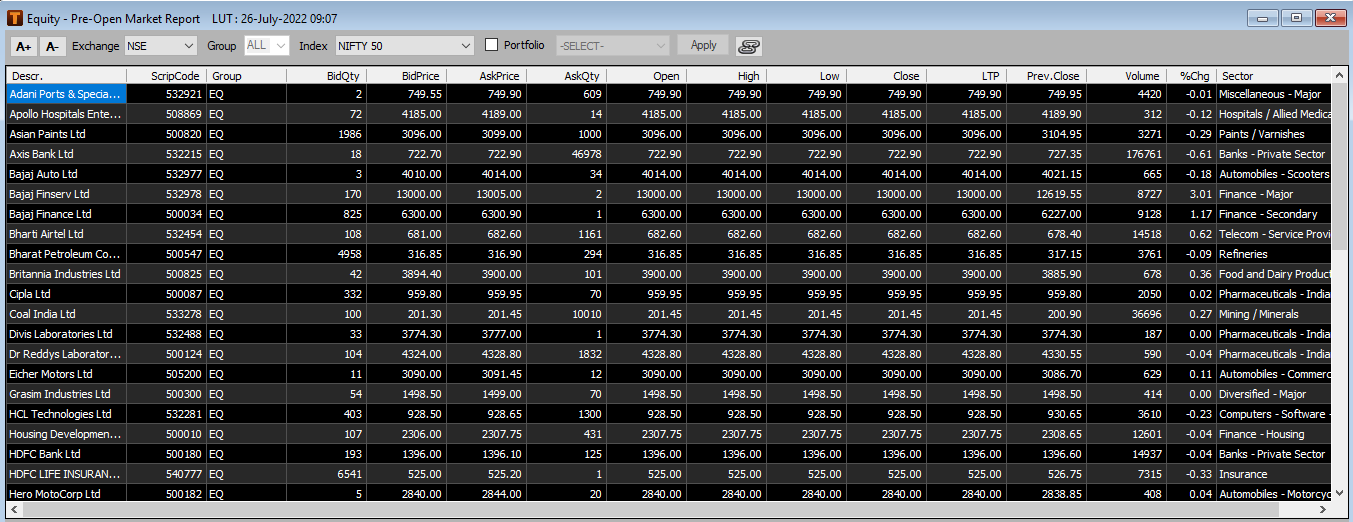
Pre- Open Market Report:
Pre market sessions are from 9:00 Am to 9:15 am, whereas order is place between 9:00 am to 9:07 and executed in 9:08 am to 9:15 am for both NSE (National Stock Exchange) & BSE (Bombay Stock Exchange). Preopen market is basically period of trading activity which take place just before the regular stock market session.
1.Select EQ.

2.Select Pre-Open Market Report.

3.Select Exchange and Index as required and then Apply.
Dhaka stock exchange:
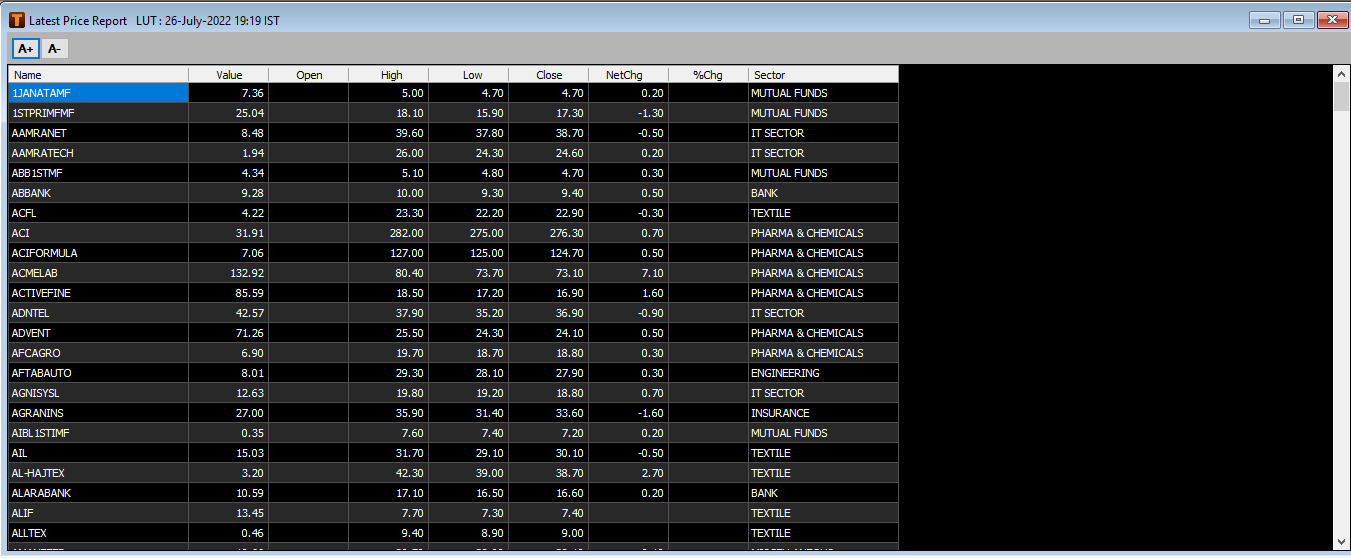
To get latest price from Dhaka Stock Exchange
1.Select Equity.
2.Select Dhaka Stock Exchange >> Latest Price Report.
Comments
0 comments
Please sign in to leave a comment.