
The Chart Session Time tab allows you to set the start and end time for the different market segments.
-
Click Tools > Preferences.
The Preferences window is displayed. -
Click Chart Session Time.
The Chart Session Time tab is displayed.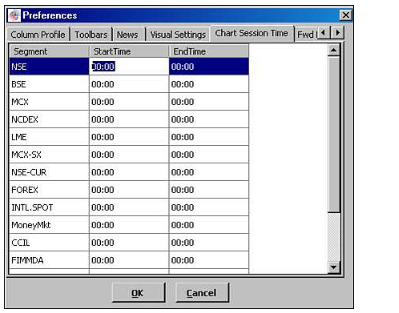
-
Select the required market segment.
-
In StartTime, double-click on the column and enter the required value.
-
In EndTime, double-click on the column and enter the required value.
-
Click OK.
The chart session time is saved.
Comments
0 comments
Please sign in to leave a comment.